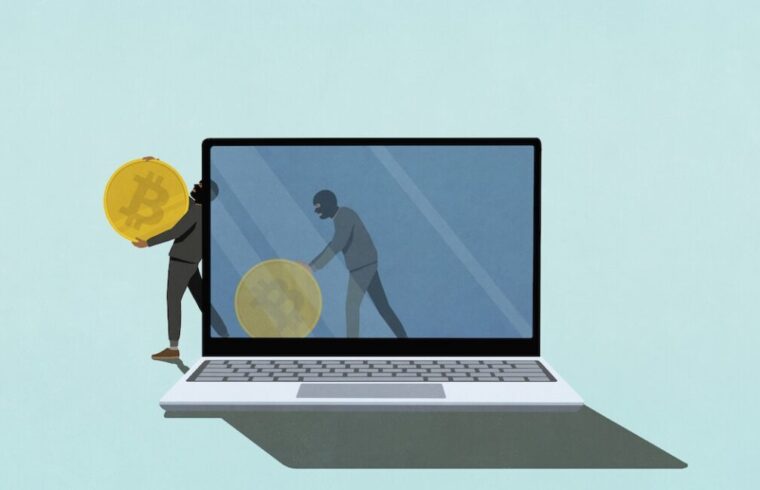
Imagine your digital wallet, a secure vault for your cryptocurrency. Now imagine a stealthy, unwelcome guest slipping in, not through a sophisticated network hack, but through something as common as a USB drive you might plug into your computer. That’s the chilling reality of Crypto Clipper, a newly identified self-propagating malware that Microsoft has recently brought to light. This isn’t just another run-of-the-mill threat; it’s a cunning worm designed specifically to snatch your invaluable cryptocurrency credentials.
What is Crypto Clipper and How Does It Operate?
So, what exactly are we up against? Microsoft has aptly named this insidious worm “Crypto Clipper” because of its sinister method: it relentlessly monitors your device’s clipboard. Think about it: every time you copy a cryptocurrency wallet address, a seed phrase, or any other critical piece of information, it sits momentarily on your clipboard. Crypto Clipper lies in wait, scrutinizing this temporary data for patterns that scream “digital treasure.”
The Art of Digital Theft: Clipboard Monitoring and Screenshots
This malware isn’t just watching; it’s actively searching for those crucial wallet addresses or seed phrases. Once it detects what it’s looking for, it doesn’t just grab the text. Oh no, it goes a step further, capturing five detailed screenshots over a 10-second period. Why screenshots, you ask? To give the attackers a comprehensive visual context, perhaps to confirm the theft or gather additional information about your crypto activities. It’s like a digital pickpocket not only stealing your wallet but also taking pictures of you opening it!
Why USB Drives Are Still a Major Vector for Self-Propagation
You might think USB drives are relics of the past, but they remain a potent vector for malware. Crypto Clipper leverages this surprisingly persistent vulnerability by being self-propagating. This means it can jump from an infected USB drive to any computer it’s plugged into, and then potentially to other USB drives connected to that computer, spreading like wildfire within a local ecosystem. It’s a classic worm-like behavior, reminding us that even in our interconnected world, physical vectors pose significant risks.
The Anonymous Escape Route: Tor and SOCKS5 for Untraceable Exfiltration
After snatching your credentials and screenshots, Crypto Clipper needs to get them to its masters. But how does it do this without revealing the attacker’s location? This is where things get really clever—and concerning. The malware employs two powerful tools for anonymity: the Tor network and a SOCKS5 proxy.
A Deep Dive into Anonymity: How Tor and SOCKS5 Shield Attackers
The Tor network, often called “The Onion Router,” is a sophisticated system designed to provide anonymous communication. It bounces internet traffic through a global network of volunteer-operated relays, encrypting it at each hop. This makes it incredibly difficult to trace the origin or destination of the traffic. For Crypto Clipper, Tor acts as a cloak, shrouding the transmission of your stolen data. But how does it connect to Tor? It establishes this anonymous connection by first routing its traffic through a SOCKS5 proxy. Think of a SOCKS5 proxy as a middleman server that takes your internet traffic and forwards it to its final destination. In this case, it helps the malware establish and maintain its anonymous link to the Tor network, making the exfiltration of your private information incredibly difficult to track back to the perpetrators. It’s a double layer of anonymity, making their operations frustratingly elusive.
Beyond Simple Theft: A Lightweight Backdoor with Remote Code Execution
What makes Crypto Clipper particularly noteworthy, according to Microsoft, is its sophisticated execution model. As the tech giant emphasized, this malware doesn’t rely on traditional, easily detectable methods like a standard installer or an exposed, IP-based command-and-control (C2) infrastructure. Instead, it deploys a portable Tor client directly on your system and routes its nefarious traffic through a local SOCKS5 proxy.
This innovative approach means Crypto Clipper isn’t just a data stealer; it’s a “financially motivated stealer” that transforms into a “lightweight backdoor.” What does that mean for you? It means the attackers gain a persistent, discreet presence on your system, capable of not only stealing information but also potentially executing remote code. This capability elevates it from a mere thief to a potential master key for further, more devastating attacks. Imagine a seemingly minor breach opening the door for future, more significant intrusions without you ever knowing.
Protecting Your Digital Wallet: Practical Safeguards Against Crypto Clipper
Feeling a bit rattled? Don’t be! Awareness is power, and with the right precautions, you can significantly reduce your risk. Protecting your digital wallet and personal data from threats like Crypto Clipper requires a combination of vigilance and smart security practices. Your crypto journey doesn’t have to be a walk through a minefield; let’s equip you with the right tools.
Essential Tips to Stay Safe in the Crypto World:
- Be Wary of USB Drives: The golden rule: never plug in an unknown USB drive. If you find one, leave it. If a friend offers one, ensure it’s from a trusted source and has been scanned.
- Always Scan External Media: Before opening anything from a USB drive, even your own, perform a thorough scan with up-to-date antivirus software. Prevention is always better than cure.
- Use a Password Manager for Seed Phrases: Avoid copying and pasting sensitive information like seed phrases directly into fields. Use a reputable, secure password manager that integrates directly into your browser or application.
- Double-Check Wallet Addresses: When sending cryptocurrency, always verify the recipient’s wallet address meticulously, character by character, not just by looking at the beginning and end. Malware like Crypto Clipper can silently swap addresses on your clipboard.
- Keep Your Software Updated: Ensure your operating system, web browsers, and antivirus software are always up-to-date. These updates often include critical security patches against new threats.
- Two-Factor Authentication (2FA): Enable 2FA on all your cryptocurrency exchanges, wallets, and any other critical accounts. This adds an extra layer of security, making it harder for attackers to gain access even if they steal your primary credentials.
- Be Skeptical of Unsolicited Downloads: Never download software or files from untrusted sources, especially if they promise free crypto or other too-good-to-be-true offers.
The Evolving Threat Landscape: Stay Vigilant!
Crypto Clipper is a stark reminder that cyber threats are constantly evolving, becoming more sophisticated and harder to detect. The reliance on old vectors like USB drives, combined with cutting-edge anonymity techniques and backdoor capabilities, paints a clear picture of the ingenuity—and malice—of today’s cybercriminals. We’ve seen how a seemingly simple act like copying text can be weaponized against your most valuable digital assets.
Your journey into the world of cryptocurrency should be exciting, not terrifying. By understanding these threats and taking proactive steps, you can protect yourself and your investments. Let’s make sure we’re always one step ahead of the bad actors. Stay informed, stay secure, and keep your digital assets safe!