Hey there, digital explorer! Let’s talk about something pretty unsettling. You rely on your Android phone for everything, right? Banking, social media, staying in touch with loved ones… But what if I told you there’s a sneaky new attack that could be siphoning off your most private data – things like your two-factor authentication (2FA) codes and even your location history – all in less time than it takes to brew a cup of coffee? Sounds like something out of a spy movie, doesn’t it? Well, it’s real, and it’s called Pixnapping.
Unmasking Pixnapping: The Silent Thief of Your Digital Life
Academic researchers, the brilliant minds always looking out for the next digital threat, are the ones who put a name to this new danger: Pixnapping. It’s a rather clever, if terrifying, moniker for an attack that essentially “snaps” information right off your screen, pixel by pixel. Think of it like a high-tech game of “I Spy” where your sensitive information is the target, and the attacker always wins.
Here’s the kicker: for Pixnapping to work, you do have to install a malicious app on your Android phone or tablet. But don’t breathe a sigh of relief just yet. This isn’t your typical “scary permissions” kind of malware. Nope, this app requires absolutely no system permissions to do its dirty work. Let that sink in for a moment. An app that asks for nothing special can still peek at everything you hold dear on your screen. It’s like having a window in your house that looks completely opaque from the outside, but from the inside, it’s crystal clear to a hidden observer. Pretty chilling, right?
The Insidious Mechanics: How This Digital Phantom Operates
So, how does Pixnapping manage this digital heist without raising any alarms? It’s a fascinating, albeit alarming, piece of technical trickery. The malicious app kickstarts the whole process by subtly invoking certain Android programming interfaces. These interfaces then trick your authenticator or other targeted applications into displaying sensitive information right there on your device’s screen. We’re talking about those fleeting moments when your 2FA code pops up, or your location timeline updates – moments you might not even consciously register.
Once that sensitive data is displayed, the malicious app goes to work, performing a series of rapid graphical operations on individual pixels that are of interest to the attacker. But here’s the real genius (or villainy!) behind it: Pixnapping exploits a side channel. What’s a side channel, you ask? Imagine you’re trying to figure out what’s inside a locked box. You can’t open it directly, but maybe you can tell by its weight, the faint sounds it makes when you shake it, or even the slight warmth it emits. A side channel is exactly that – an indirect way of gaining information by observing secondary effects of a system.
In the case of Pixnapping, the malicious app observes subtle graphical properties or behaviors related to those individual pixels. It then cleverly maps these observations back to the actual letters, numbers, or shapes that were displayed. It’s like reading the reflection of a book in a window when you can’t see the book itself. This allows the attacker to reconstruct your 2FA code, location data, or whatever other private tidbit was briefly on your screen. And remember, all of this happens with dizzying speed – we’re talking blink-and-you-miss-it swiftness.
Who’s Affected? A Growing Concern
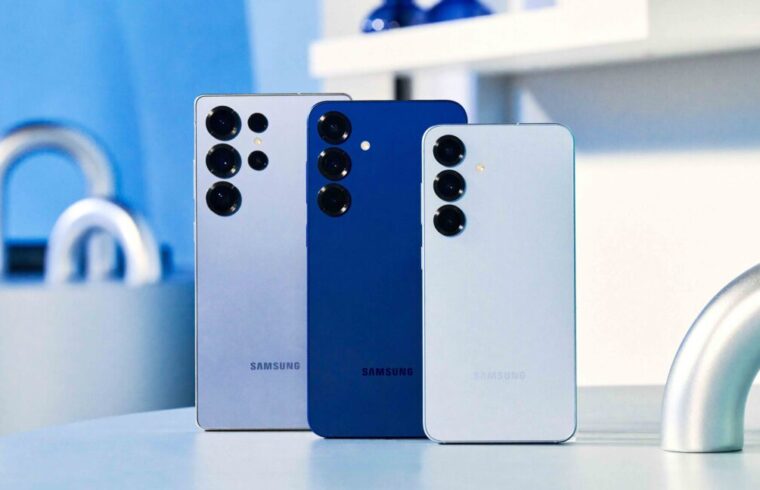
The researchers have already demonstrated the success of Pixnapping on popular devices, including Google Pixel phones and the brand-new Samsung Galaxy S25. While these specific models were highlighted, the unsettling truth is that this attack could likely be modified to work on a much wider array of Android devices with further development. This isn’t just a niche problem; it’s a potential looming threat for the vast Android ecosystem.
The Unsettling Reality: A Patch, But Still a Persistent Shadow
Google, always quick to respond to emerging threats, did release mitigations for this vulnerability last month. That’s good news, right? A patch means protection, usually. However, the researchers behind Pixnapping delivered a sobering update: they’ve already managed to create a modified version of the attack that works even when Google’s update is installed. This means the cat-and-mouse game between security researchers and potential attackers continues, and for now, the mouse seems to have found a new way through the cheese trap.
What does this mean for us, the everyday Android users? It means we need to stay vigilant. While developers are working tirelessly to close these security gaps, the ever-evolving nature of cyber threats demands our constant attention. This isn’t a call for panic, but a clear reminder that our digital security is a shared responsibility.
Protecting Your Digital Sanctuary: What Can You Do?
So, with such a stealthy and persistent threat lurking, what steps can you take to safeguard your digital life? While there’s no magic bullet, a multi-layered approach is always your best defense:
- Be Hyper-Vigilant with App Installs: This is perhaps your most crucial line of defense. Only download apps from official sources like the Google Play Store, and even then, always check the developer, read reviews, and scrutinize permissions (even if Pixnapping doesn’t need them, other malicious apps do!). If an app seems too good to be true, it probably is.
- Keep Your Software Updated: While the current Pixnapping variant bypasses Google’s initial fix, regular updates are still vital. They close countless other vulnerabilities and are your first line of defense against known threats. Always update your Android OS and all your apps as soon as updates are available.
- Minimize On-Screen Sensitive Data Exposure: This might be difficult, as 2FA codes often appear on screen. However, be mindful of where and when you’re viewing highly sensitive information. Avoid doing so in public places or on shared devices.
- Use a Reputable Mobile Security Solution: A good antivirus or mobile security app can provide an additional layer of protection by scanning for malicious apps and suspicious activities.
- Stay Informed: Keep an eye on tech news from reputable sources. Knowledge is power when it comes to cybersecurity. Understanding threats like Pixnapping helps you make informed decisions about your digital habits.
The digital landscape is constantly shifting, and threats like Pixnapping are a stark reminder of that reality. It’s a complex world out there, but by understanding the risks and taking proactive steps, we can all contribute to making our corner of the internet a little bit safer. Remember, your privacy is a treasure worth guarding. For a deeper dive into the technical details and ongoing developments, you might want to check out the full article on Ars Technica.