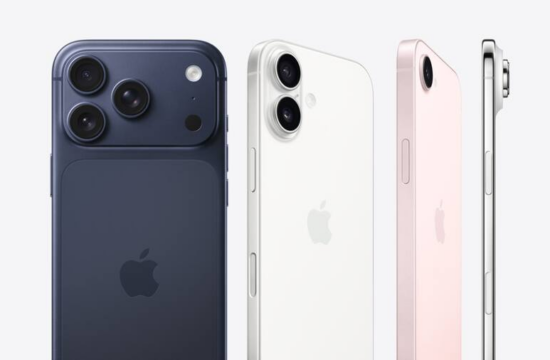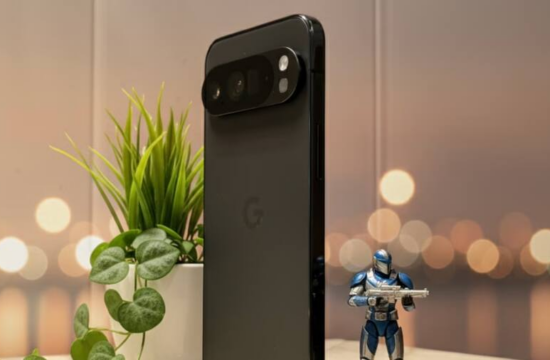
Hey there! Take a quick peek around your house. Do you have an old smartphone or tablet lying around, perhaps gathering dust in a drawer or tucked away in a forgotten box? Most of us do, don’t we? It’s probably not quite up to par for your daily social media scrolling or intense gaming sessions anymore, but here’s a secret: that device is far from obsolete! Instead of letting it waste away, what if I told you that you could give it a fantastic second life, transforming it into your very own, incredibly useful DIY home security camera? It’s true, and it’s much simpler than you might think!
Think about it: why buy an expensive, dedicated security camera when you already have the core components right at your fingertips? Your old phone already boasts a camera, a screen, and Wi-Fi connectivity – everything you need for a basic surveillance system. While it might not replace a professional, multi-camera CCTV setup for a sprawling estate, it’s absolutely perfect for keeping a watchful eye on a specific room, your front entrance, the baby’s nursery, or even a parking spot. Let’s dive into how you can make this happen and finally put that old gadget to work!
Why Let Your Old Smartphone Stand Guard? The Benefits
Before we get into the nitty-gritty, let’s talk about why this is such a brilliant idea. For starters, it’s incredibly cost-effective. You’re leveraging hardware you already own, eliminating the need to spend a significant amount on new equipment. Beyond saving your wallet, you’re also being eco-friendly by repurposing electronics, giving them a prolonged lifespan rather than contributing to e-waste. Isn’t that a win-win?
Beyond the practical savings, having an extra set of digital eyes can provide immense peace of mind. Imagine being able to check in on your pets while you’re at work, ensure your kids arrived home safely, or simply monitor a less-frequented area of your home from anywhere in the world. It’s like having a silent, ever-vigilant sentinel, all powered by a device you probably thought was destined for the recycling bin!
What You’ll Need: The Essential Toolkit for Your DIY CCTV
Alright, ready to roll up your sleeves? You don’t need a degree in electrical engineering for this, just a few basic items. Think of it as assembling your security squad:
Your Trusty Old Phone: The Star of the Show
This is the heart of your new surveillance system. What makes a good candidate?
- It needs a working camera, obviously! Both front and rear cameras can be useful depending on your needs.
- Reliable Wi-Fi connectivity is non-negotiable. This is how your camera will stream its feed.
- While not strictly necessary, an old phone with decent battery health is a plus, though we’ll address continuous power shortly.
Your Viewer Device: The Control Center
You’ll need another device to actually see what your old phone is capturing. This could be your main smartphone, a tablet, or even your laptop. This device will act as your remote monitor, allowing you to view the live feed and control settings. Convenience is key here, so pick the device you carry most often!
The Power Source: Keeping the Lights On
This is crucial. Since your old phone will be operating continuously, its battery will drain quickly. To avoid interruptions and ensure 24/7 surveillance, you’ll want to keep it permanently plugged into a charger. Make sure you have a reliable charger and a cable long enough to reach your desired placement spot.
A Rock-Solid Internet Connection: Your Digital Lifeline
For seamless streaming, especially if you plan to monitor remotely when you’re away from home, a stable and strong Wi-Fi connection is absolutely essential. Think of it as the nervous system of your setup – without it, your camera won’t be able to communicate effectively.
Picking Your Digital Guardian: Top Apps to Transform Your Phone
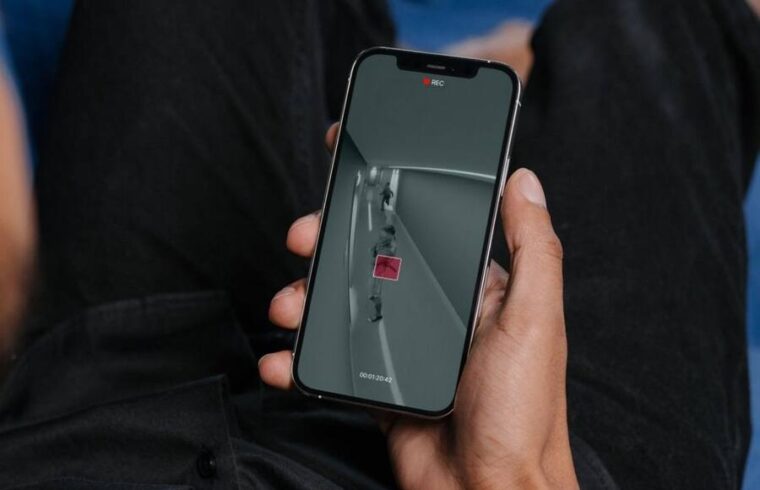
This is where the magic happens! A dedicated app bridges the gap between your old phone’s camera and your viewer device. These apps essentially turn your phone into an IP camera and provide an interface to watch its feed. Here are some of the popular choices that make this process wonderfully straightforward:
- Alfred Camera: Often lauded for its user-friendliness, Alfred Camera is a fantastic choice for beginners. It offers live viewing, motion detection alerts, and even two-way talk with its premium features.
- Manything: This app provides robust features including motion-activated recording, cloud storage options, and customizable alert zones. It’s a solid contender if you’re looking for more advanced capabilities.
- DroidCam: If you’re planning to use your old Android phone and view the feed on a PC or laptop, DroidCam is an excellent, versatile option that turns your phone into a webcam.
The beauty of these apps? You install them on both your old phone (the camera) and your main device (the viewer). Once you log in with the same account on both, they automatically pair, and you’ll see your live feed start streaming. It’s truly that uncomplicated!
Some apps go above and beyond, offering features like motion alerts, event recording, and even cloud storage. The availability of these extras often depends on the specific app you choose and, of course, the capabilities of your old phone. So, do a little research and pick the one that best suits your needs and budget.
Step-by-Step: Setting Up Your DIY Security Hub
You’ve got your gear, you’ve chosen your app. Now for the exciting part – deployment! Follow these simple steps:
- Charge and Prep Your Old Phone: Give your old phone a full charge. For optimal security and performance, I highly recommend performing a factory reset. This clears out all your old data, ensures a clean slate, and reduces potential software conflicts. Update its operating system if possible.
- Install the App on Both Devices: Download and install your chosen security camera app (e.g., Alfred Camera) on both your old phone (which will be the camera) and your primary device (which will be your viewer).
- Log In and Connect: Open the app on both devices. You’ll typically be prompted to log in or create an account. Make sure to use the same account on both phones to link them seamlessly. One device will be designated as the “Camera” and the other as the “Viewer.”
- Strategic Placement is Key: Now, find the perfect spot for your new camera! Consider the following:
- Clear View: Ensure the camera has an unobstructed line of sight to the area you want to monitor.
- Stability: Place the phone on a steady surface or use a small tripod/mount. You don’t want it falling over!
- Power Access: Remember that charger? Make sure it can reach the phone’s chosen location without straining. Keeping it plugged in is non-negotiable for continuous operation.
- Lighting: Think about the lighting conditions in the area. We’ll discuss this more in the next section.
- Test and Tweak: Once set up, open the viewer app on your main phone. Does the live feed look good? Test out any features like motion detection alerts or recording functions. Adjust the phone’s angle as needed until you’re satisfied with the coverage.
Beyond Basic Monitoring: Maximizing Your Setup
You’ve got the basics down, but why stop there? Let’s talk about how to get the absolute most out of your newfound security system:
Enhancing Visibility: Lighting is Key
An old phone’s camera, especially if it’s an older model, might struggle in low-light conditions. Consider placing your camera in a well-lit area. If you need night vision, you might integrate an external light source that activates with motion, or perhaps consider a small, inexpensive infrared (IR) light if the camera has some IR capability. Remember, even the best camera can’t see in total darkness!
Secure Your Feed: Digital Safety First
Since your camera is connected to the internet, security is paramount. Always use strong, unique passwords for your app account and your Wi-Fi network. Only download apps from trusted sources (like official app stores). Be mindful of app permissions and always encrypt your Wi-Fi network. After all, you’re monitoring your home – let’s keep that information safe and private!
Power Management: Continuous Surveillance
As mentioned, leaving your old phone plugged in is essential. However, constant charging can sometimes lead to battery degradation and overheating, especially with older batteries. While most modern phones have charging management systems, it’s wise to place the phone in a well-ventilated area and avoid direct sunlight if possible. Some users even opt to remove the battery (if possible and safe for the specific phone model) and power it directly via USB, though this requires a bit more technical know-how.
A Realistic Look: Understanding the Limitations of Your DIY CCTV
While this DIY security solution is fantastic, it’s important to have realistic expectations. It’s a brilliant hack, but it’s not going to perfectly replicate a high-end, purpose-built security system. Here are a few things to keep in mind:
- Camera Quality: The footage quality will directly depend on your old phone’s camera. If it’s a really old device, don’t expect crystal-clear, 4K resolution! It’ll be functional for identification but might not capture every minute detail.
- Reliability: Your system is only as good as your internet connection. If your Wi-Fi drops, so does your live feed. Apps can sometimes crash, or phones might reboot unexpectedly. It’s wise to check in periodically to ensure everything is still running smoothly.
- Storage Limitations: While some apps offer cloud storage, free tiers often have limits. Local storage on your old phone can also fill up quickly with continuous recording. Plan your storage strategy accordingly.
- Durability: Your smartphone isn’t designed to be weatherproof or tamper-proof like dedicated outdoor security cameras. Keep it indoors and out of reach if possible.
- Privacy Concerns: As with any internet-connected camera, be mindful of privacy. Ensure you’re only monitoring areas where there’s a legitimate need for surveillance and that you’re adhering to any local privacy laws if applicable. Stick to trusted apps with good security records.
Ready to Repurpose? Your Home Security Awaits!
So, there you have it! Turning an old, unused phone into a functional DIY security camera is a smart, affordable, and eco-conscious way to enhance your home’s safety and your peace of mind. It’s a testament to the versatility of our tech – a device that once helped you connect with the world can now help you protect your personal space.
Why let that old phone continue to gather dust when it could be standing guard? Go dig out that forgotten gadget, download an app, and within minutes, you could have your very own custom surveillance system up and running. Isn’t it time to unlock the hidden potential in your old tech? Give it a try – you’ll be surprised at how effective and satisfying this simple hack can be!